
How We Built Interactive n8n Workflow Previews With Astro and Docker
See how we combined n8n’s demo component, Astro, Docker, sanitized workflow JSON, and a locked-down renderer to publish interactive workflow previews.
By chris · Published · 12 min read
We wanted visitors to understand a workflow before opening it in n8n. A screenshot can show the overall shape, but it becomes difficult to read once a workflow has branches, notes, or more than a handful of nodes. We wanted the real canvas: pan, zoom, inspect a node, and then open the original free template.
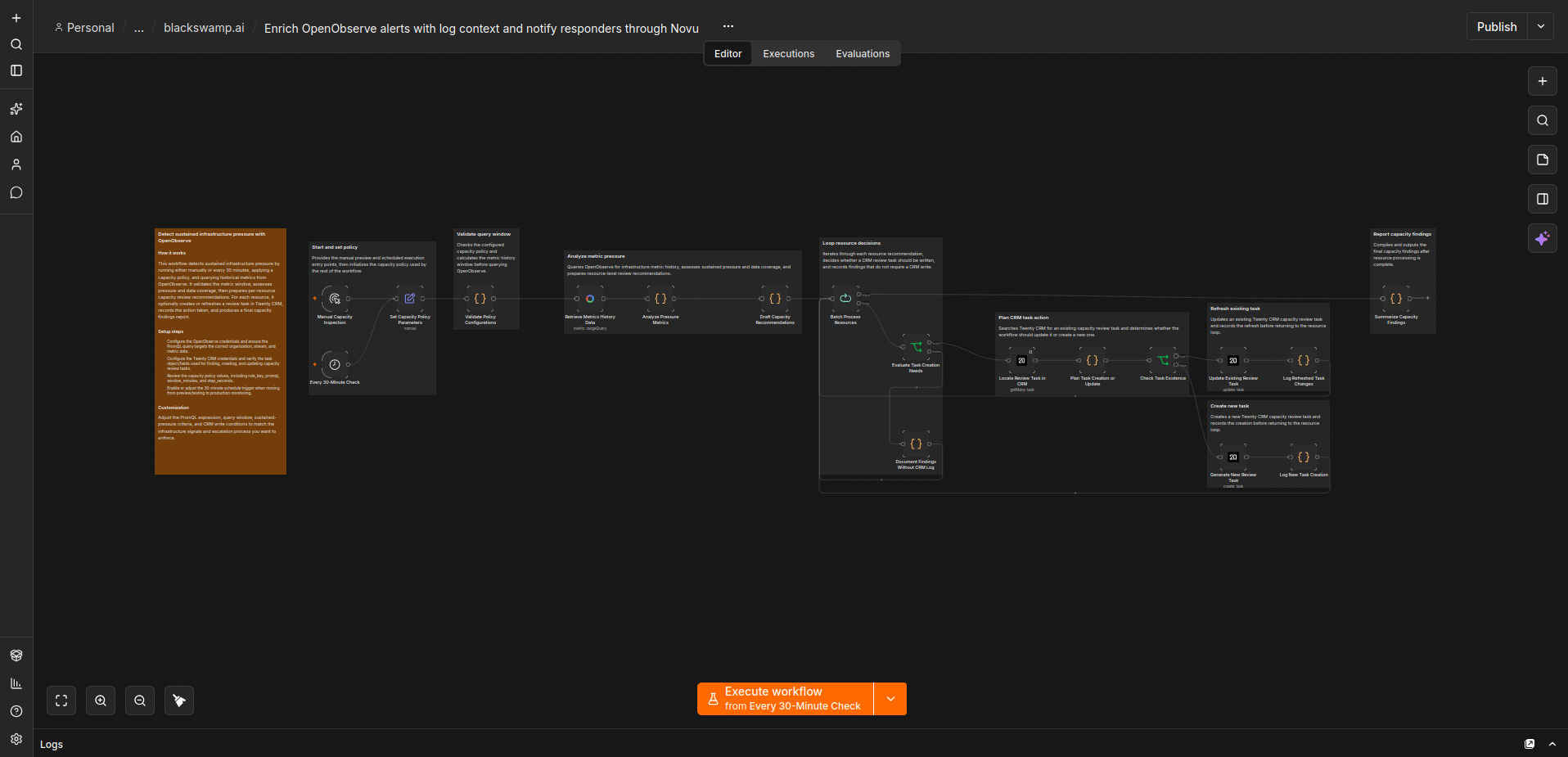
n8n already uses interactive workflow diagrams in its own documentation and publishes a small web component for workflow previews. We used those pieces to build the interactive pages in the Black Swamp AI workflow catalog. The result looks and feels like n8n without exposing our production n8n instance.
You can open one of our interactive workflow previews before reading the implementation details below.
The architecture
- WordPress stores the public catalog metadata.
- An Astro build retrieves each public template from n8n and writes a sanitized JSON file.
- An Astro component lazy-loads n8n’s preview web component in the visitor’s browser.
- The web component opens a separate n8n instance running in preview mode.
- Nginx exposes only the routes needed to draw the canvas and rejects everything else.
What n8n provided
The starting point is @n8n_io/n8n-demo-component. Its npm description is direct: it is a web component for workflow previews. Version 1.0.20 creates an <n8n-demo> custom element that accepts workflow JSON and loads an n8n canvas in an iframe.
The other half lives in n8n itself. The current n8n frontend includes a special /workflows/demo route. When N8N_PREVIEW_MODE=true, that route can bypass the normal authenticated editor view and receive workflow data from the parent component through browser messaging.
n8n also documents N8N_POSTMESSAGE_ALLOWED_ORIGINS. It limits which sites may exchange those embedded-editor messages. That setting matters because an empty value accepts messages from any origin.
These are real building blocks, but they are closer to developer infrastructure than a supported one-click embed product. The package README focuses on developing and building the component. We had to supply a compatible preview renderer, public workflow data, loading behavior, responsive layout, route restrictions, and deployment checks.
Step 1: pin the preview component
Our Astro project pins the component instead of accepting an open-ended version range:
pnpm add @n8n_io/n8n-demo-component@1.0.20Pinning matters because the component depends on behavior inside the n8n editor. A frontend change can affect the demo route even when our Astro code has not changed. For example, an n8n 2.8 preview-mode regression caused node types to stop loading in embedded demos. We currently run a tested n8n 2.37.10 renderer with component 1.0.20 and treat an n8n upgrade as an application change that needs verification.
Step 2: turn a public template into safe static data
Every free workflow in our WordPress catalog has an n8n template ID and its public n8n URL. During a site build, a Node script requests the corresponding record from n8n’s public template endpoint:
https://api.n8n.io/api/workflows/templates/{templateId}That endpoint is used by n8n’s public template experience, but we do not treat it as an immutable contract. The build validates the response and can use a previously reviewed local copy when the service is temporarily unavailable.
We keep only the fields needed to draw the workflow:
function publicWorkflow(payload, template) {
  return {
    name: payload.workflow.name || template.title,
    nodes: payload.workflow.nodes.map(({ credentials, ...node }) => node),
    connections: payload.workflow.connections,
    nodeGroups: payload.workflow.nodeGroups,
    settings: payload.workflow.settings || {},
  };
}
The destructuring removes the entire credentials property from every node. A second validation pass rejects a generated file if a node still contains that property. It also rejects missing nodes, invalid connections, duplicate template IDs, and template URLs that do not match their IDs.
The automatic template pipeline is only for workflows already published as free n8n templates. We do not point it at arbitrary internal workflows. The catalog-sync diagram later in this article is a deliberate exception built from a manually exported, reviewed, and sanitized snapshot. A paid workflow likewise needs a separately prepared preview that does not expose its downloadable implementation.
Step 3: create an Astro wrapper
The n8n component needs a workflow JSON string and the URL of a compatible preview-mode n8n instance. The essential browser code is small:
await import('@n8n_io/n8n-demo-component');

const demo = document.createElement('n8n-demo');
demo.workflow = JSON.stringify(workflow);
demo.src = 'https://preview.example.com/workflows/demo';
demo.theme = 'dark';
demo.clicktointeract = 'true';
demo.collapseformobile = 'false';
demo.hidecanvaserrors = 'true';
demo.frame = 'false';
hidecanvaserrors expresses the behavior the embed is supposed to request. In n8n 2.37.10, the new canvas receives that setting but does not yet apply it to its node status icons. We document the renderer-only workaround below rather than treating the attribute as a working guarantee.
Our wrapper does more than create the element. It waits until the preview is close to the viewport before importing the package and requesting JSON. That keeps several heavy canvases from loading during the first page render. An IntersectionObserver starts the preview roughly 500 pixels before it scrolls into view.
The component and iframe signal readiness through postMessage. We confirm that a message came from the iframe we created, wait for the n8nReady command, and fail after 45 seconds. Visitors see a loading state, a retry button if the renderer is unavailable, and a normal link to the template on n8n as a fallback. We also add a descriptive iframe title and respect reduced-motion preferences.
Step 4: run a separate preview renderer
The web component still needs the n8n frontend that draws the workflow. We run that frontend in its own Docker container. It is not our production automation server.
The preview container has:
- No production n8n database
- No production credentials or workflow storage
- No shared Docker network with production n8n
- No host port published directly to the internet
- Linux capabilities dropped and
no-new-privilegesenabled - CPU, memory, process, and temporary-storage limits
- Execution-data storage disabled
- The public origins explicitly allowed for browser messaging
The important environment settings include:
N8N_PREVIEW_MODE=true
N8N_POSTMESSAGE_ALLOWED_ORIGINS=https://blackswampai.com,https://www.blackswampai.com
N8N_TEMPLATES_ENABLED=false
N8N_PUBLIC_API_DISABLED=true
N8N_RUNNERS_ENABLED=false
We install the public Black Swamp AI community-node packages into this renderer. Without their node definitions, the canvas may show an unknown node or a question-mark icon even though the workflow connections are valid. The renderer never receives credentials for those integrations.
Step 5: put Nginx in front of an allowlist
Preview mode reduces what the editor expects, but we did not expose the whole container. Nginx proxies the exact demo route plus the assets, settings, node-type metadata, and icons required to render it. Every unlisted path returns a real 404.
The public surface is intentionally narrow:
location = /workflows/demo { proxy_pass http://preview-renderer; }
location ^~ /assets/       { proxy_pass http://preview-renderer; }
location ^~ /static/       { proxy_pass http://preview-renderer; }
location = /rest/settings  { proxy_pass http://preview-renderer; }
location = /types/nodes.json { proxy_pass http://preview-renderer; }
location ^~ /icons/n8n-nodes-base/ { proxy_pass http://preview-renderer; }
location / { return 404; }
The real configuration also allows community-node metadata plus the specific built-in and Black Swamp AI icon namespaces our workflows require. We added the built-in /icons/n8n-nodes-base/ path after a GitHub node appeared with a generic image icon. The browser request showed that the renderer had the correct SVG while our proxy allowlist was rejecting its path. That list can change between n8n releases, which is another reason to test upgrades before deploying them.
A version-specific warning badge workaround
Fixing the GitHub icon revealed a second issue. Once the renderer could fully recognize the built-in nodes, it displayed red validation badges on nodes that require credentials. Those badges did not mean credentials had leaked or that the workflow was broken. Our public JSON still removed every credentials property, so the credential-free renderer was reporting exactly what it saw.
We first tested generic preview-only credential references, but they did not solve the display problem and added unnecessary data to the public files. We removed them. The actual explanation was in the n8n 2.37.10 source: CanvasNodeStatusIcons.vue defines hideNodeIssues as always false with a TODO to implement it. The embed sends hideNodeIssues: true, but this version of the new canvas ignores the request.
Until n8n implements that flag, our Nginx route for the disposable demo renderer injects one narrowly scoped style into the exact /workflows/demo HTML response:
location = /workflows/demo {
  proxy_set_header Accept-Encoding "";
  sub_filter_once on;
  sub_filter '</head>'
    '<style>[data-test-id="node-issues"]{display:none!important}</style></head>';
  proxy_pass http://preview-renderer;
}
The selector uses n8n’s explicit data-test-id="node-issues" marker. It affects only the isolated public demo page and matches the display behavior requested by hidecanvaserrors="true". It does not modify workflow data, create credentials, suppress errors in our production n8n editor, or broaden the renderer’s route allowlist. We will remove this workaround when the pinned n8n renderer implements the flag, which is another item for the upgrade checklist.
We add a Content Security Policy that restricts framing to the Black Swamp AI domains. The renderer sends noindex, nofollow, and noarchive headers because it is supporting infrastructure, not a search result. Camera, microphone, geolocation, and payment permissions are disabled.
Why we did not frame our production n8n instance
A production n8n installation contains credentials, users, workflows, execution history, webhooks, and management routes. Putting its editor behind an iframe allowlist would still couple a public website feature to a sensitive application.
The separate renderer gives us a smaller failure domain. If a preview breaks, visitors can still read the workflow summary and open the original template. If the public renderer receives unexpected traffic, it has no route to our automation data. We can update or stop it without touching production n8n.
The n8n workflow that keeps the catalog current
The previews are only one half of the system. An active production workflow named Sync Black Swamp AI n8n templates to WordPress keeps the catalog metadata current. It can run manually for review and is scheduled at 08:00 and 20:00 Eastern.
It does not scrape rendered HTML from the creator page. It requests the structured creator and public-template endpoints that n8n’s own site uses, validates the returned collection, and retrieves the detailed public record for each template.
This is a sanitized snapshot of the real 35-node production workflow. Credential references, internal Data Table IDs, the restricted SSH command, and production-only workflow metadata are omitted. Click the preview to activate it, then pan, zoom, or inspect a node.
What the synchronization workflow does
- Start on a schedule or by hand. The manual path supports a review run. The schedule checks for changes twice each day.
- Discover the public templates. HTTP Request nodes retrieve the Black Swamp AI creator profile, enumerate its templates, verify that the feed completed, and request the public details for each template ID.
- Normalize the catalog fields. A Code node turns n8n's response into the title, summary, source URL, integration, use case, difficulty, setup time, and other fields used by the website.
- Read the current WordPress catalog. The workflow retrieves the allowed integrations, use cases, and existing workflow records before planning a change.
- Review and upsert only what changed. A preview branch returns proposed changes without writing. The synchronization branch creates or updates the custom WordPress workflow records and keeps durable rebuild state in an n8n Data Table.
- Request the static rebuild. If the public catalog changed or a rebuild is already pending, an SSH node invokes the restricted deployment entry point. A final branch records success or stops with a clear failure.
The built-in WordPress node is useful for common post and page operations, but this catalog uses custom REST resources, taxonomy lookups, and upsert behavior that the node did not expose. We used authenticated HTTP Request nodes for those calls instead of forcing the catalog into the standard post model.
The end-to-end path is:
Manual or twice-daily trigger
  -> read Black Swamp AI's public n8n templates
  -> normalize and compare with WordPress
  -> preview changes or upsert changed records
  -> request the restricted website rebuild
  -> retrieve and sanitize each public workflow
  -> validate and build Astro
  -> replace only the website container
The SSH credential is attached only inside production n8n. Its key can run only the catalog rebuild command; it cannot open an unrestricted shell or control unrelated services. The deployment script uses a lock so two catalog updates cannot deploy over one another.
This gives us static HTML for search engines and fast catalog pages while preserving an interactive canvas for visitors. Free workflows stay accessible without an account. Featured workflows can appear on the homepage and n8n page, while the complete collection remains in the filterable catalog.
What we learned
- The n8n component is only one layer. You still need a preview-mode renderer and a safe source of workflow JSON.
- Do not use production n8n as the renderer. A disposable, credential-free instance is easier to reason about and safer to expose.
- Public workflow JSON deserves validation. Remove credential references and fail the build when the expected structure changes.
- Community nodes must exist in the renderer. Otherwise the canvas cannot fully describe them.
- Lazy loading matters. One interactive canvas is substantial; a page containing several should not initialize all of them immediately.
- Pin and test both sides. The web component and n8n editor evolve separately, and preview mode has experienced regressions.
- Verify requested embed flags in the rendered result. In n8n 2.37.10, the new canvas receives the request to hide node issues but leaves that behavior marked as a TODO.
This is an implementation pattern, not an official stability guarantee from n8n. Anyone adopting it should review n8n's current package, source, security settings, and license for their own use case.
Explore the result
Browse our free workflow collection, filter by integration or use case, and open any workflow to inspect it on the interactive canvas.
Sources and implementation references
- n8n demo component on npm
- n8n demo route in the current editor source
- n8n security environment variables
- n8n preview-mode node-type regression report
- n8n 2.37.10 canvas node-status implementation
- An example of an interactive workflow in n8n's documentation
Implementation and source references reviewed September 8, 2026. The deployed versions described here are @n8n_io/n8n-demo-component 1.0.20 and n8n 2.37.10. Article researched and edited with GPT-6 Astra. Reviewed by Chris at Black Swamp AI.
Have a project in mind?
We can help scope a local AI build or automation workflow.
Discuss it with Chris ↗